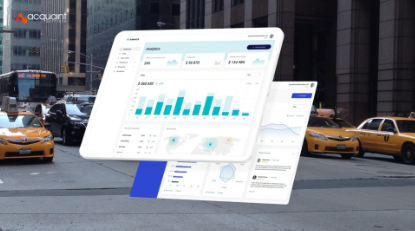

As the Product Engineering Lead at Acquaint Softtech, a Frontend Development partner, the part of a ride-hailing build that founders fund last and regret first is this: the admin panel is where you actually run the business, and a weak one turns every incident into a fire drill.
A ride-hailing admin panel is the internal dashboard your operations team uses to manage the fleet, resolve disputes, and read the revenue. This guide covers how to build those three cores, plus permissions, the stack, and the cost behind them.
A panel that hides a fraudulent driver or a leaking fare costs more than any feature you skipped to save time. The approach here draws on real operations and reporting platforms Acquaint Softtech has delivered as an Official Laravel Partner, with 1,300+ projects, 70+ in-house engineers, and clients across the USA, UK, Europe, and Australia who get a dedicated team within 48 hours of a brief.
What a ride-hailing admin panel is
A ride-hailing admin panel is the internal web dashboard operators use to control drivers, riders, trips, disputes, and money in one place. It is the back office that the rider and driver apps quietly depend on.
Who lives in the panel
Three teams work in it daily: operations manage the fleet, support resolve disputes, and finance track revenue. Each needs its own view and its own permissions, so plan role-based access from the first screen rather than bolting it on. Acquaint Softtech builds the panel around these roles, not around a single super-admin login.
Fleet management: drivers, vehicles, and status
Fleet management is the view where operators see every driver and vehicle, their status, documents, and current trip. It is how you onboard, verify, suspend, and reactivate the supply side at scale.
Status you can act on
The panel should show live status, online, on a trip, idle, or blocked, and let an operator act in one click. Reliable Database Development behind driver, vehicle, and document records keeps this view accurate, so a suspended driver cannot quietly go back online. Expiring licences and insurance should raise alerts before they lapse, not after.
See also: How to Learn About New Professions Online
Dispute resolution: turning complaints into cases
Dispute resolution turns a rider or driver complaint into a tracked case with a history, an owner, and an outcome. Without it, complaints live in inboxes and the same problem gets solved five different ways.
From complaint to closed case
Give every dispute a ticket: the trip, the parties, the evidence, and a status from open to resolved. Link it to the trip record so an agent sees the route, fare, and messages without switching tools. A refund or adjustment issued from the panel should update the rider, the driver, and the revenue ledger at once.
Revenue analytics: seeing the money clearly
Revenue analytics is the reporting layer that shows gross bookings, commission, payouts, refunds, and net revenue over any period. It is the difference between knowing you are busy and knowing you are profitable.
Metrics leaders check weekly
| Metric | What it answers | Why it matters |
| Gross bookings | Total ride value | Top-line demand |
| Take rate | Your commission share | Core unit economics |
| Payouts and refunds | What leaves the platform | Cash and dispute cost |
| Net revenue by city | Where you actually earn | Where to invest next |
Teams that hire Power BI developers turn these into live dashboards instead of month-end spreadsheets, so leaders act on this week, not last month.
Roles and permissions for a safe panel
Roles and permissions decide who can see and change what, so a support agent cannot alter payouts and a viewer cannot suspend a driver. In a panel that touches money and safety, access control is a feature, not an afterthought.
Least privilege by default
Give each role only what it needs, log every sensitive action, and require a second approval for high-risk changes like bulk payouts. An audit trail of who did what, and when, is what protects you when a dispute or a regulator asks.
The tech stack behind the panel
An admin panel is a web app: a data-dense frontend, a secure API, and a reporting layer over the same database the apps use.
What the pieces do
| Layer | Common choice | Job |
| Frontend | React or Vue | Data-dense dashboards and tables |
| API | Laravel or Node | Secure access to trips, users, money |
| Database | PostgreSQL or MySQL | One source of truth for apps and panel |
| Reporting | BI tool or SQL views | Revenue and operations analytics |
What it costs to build
The cost of an admin panel depends on how deep the fleet, dispute, and analytics tooling goes, and how strict the permissions and audit needs are.
| Scope | What you get | Typical range (USD) |
| Core panel | Fleet management, basic disputes, simple reports | $12,000 to $28,000 |
| Full panel | Case workflows, revenue analytics, roles, audit logs | $28,000 to $65,000 |
Where the savings are
Build fleet management and basic dispute tracking first, the tools your team touches hourly, then layer in revenue analytics and fine-grained permissions. Acquaint Softtech staggers the build this way, running at up to forty percent cost savings versus Western agencies, with blended rates of roughly twenty-five to forty-nine US dollars per hour.
Proof: an operations management system we shipped
An admin panel is, at its core, one place to track records, move cases through a workflow, and read live reports. For Salter Grange, a London recruitment firm, Acquaint Softtech built exactly that kind of operations management system. The account below is drawn from the client’s 5.0 out of 5 Clutch review.
| Challenge | Solution | Result |
| Operations ran on disconnected spreadsheets and email | Centralized management system with a real-time operational dashboard | One place to see the whole cycle |
| Tracking cases and follow-ups was manual | Tracking module with logs, documents, alerts, and reminders | Noticeably less operational friction |
| Managers relied on manual reports | Custom reporting engine with live operational snapshots | Live visibility instead of spreadsheet pulls |
The build is the admin-panel pattern a ride-hailing operator needs: track records, move cases through a workflow, and read live operational reports. Managing Director Marty McCoy said the team “immersed themselves in our operational reality”, restructuring the compliance workflow in days when the rules shifted. Whether the records are candidates or drivers, Acquaint Softtech builds the operations layer around how the team actually works, not around a generic template.
FAQs
What is a ride-hailing admin panel?
It is the internal web dashboard operators use to manage drivers, vehicles, trips, disputes, and revenue in one place. It sits behind the rider and driver apps and is where operations, support, and finance teams actually run the business.
What does fleet management in the panel do?
It lets operators onboard, verify, suspend, and reactivate drivers and vehicles, and see live status at a glance. Good fleet management also flags expiring licences and insurance early, so unsafe or non-compliant drivers cannot slip back online.
How does dispute resolution work in the panel?
Each complaint becomes a tracked case linked to its trip, with parties, evidence, an owner, and a status. Agents resolve it from the panel, and any refund or adjustment updates the rider, the driver, and the revenue ledger together.
What should revenue analytics show?
Gross bookings, take rate, payouts, refunds, and net revenue, ideally split by city and period. Live dashboards beat month-end spreadsheets, because they let leaders act on current trends rather than reacting to numbers that are already weeks old.
Why do admin panels need role-based permissions?
Because the panel touches money and safety. Role-based access stops a support agent from changing payouts or a viewer from suspending a driver, and an audit log of sensitive actions protects you when a dispute or regulator asks who did what.
How long does it take to build an admin panel?
A core panel with fleet management, basic disputes, and simple reports usually takes a few months with a small team. Case workflows, revenue analytics, and fine-grained permissions add time, since each depends on a clean, secure data model underneath.